In the case of greenhouse pot experiments, image analysis to detect green leaf area is much simpler because of the well-controlled conditions. However, it is still mandatory to adjust settings to remove noise and isolate only the green leaves. This simple Python code provides an easy way to detect green leaf area.
1. Open Visual Studio
1) Installation
□ Windows / Mac:
pip install git+https://github.com/agronomy4future/sangchu
□ Linux (virtual environment):
Access the virtual environment in Visual Studio (VS) and run the code below in the VS terminal.
source /home/your_username/Documents/VSCODE/.venv/bin/activate
# check your pathway
After enter the virtual environment; (.venv) kimjk@agron:~$, run the following code in the terminal.
pip install git+https://github.com/agronomy4future/sangchu
If git is not installed in Linux environment, please run the following code; sudo apt-get install -y git and run the above code again.
□ Linux (system, if externally-managed error):
pip install git+https://github.com/agronomy4future/sangchu --break-system-packages

2) Run code
from sangchu import greenhousepot

df = greenhousepot(
    input_folder  = "./images",
    output_folder = "./results",
    ruler_cm      = 23, # choose the frame length (calibration)
    min_leaf_area = 5.0,  # choose minimum leaf area
)

print(df)
When you run the above code, you need to save the VS Python code in your PC.
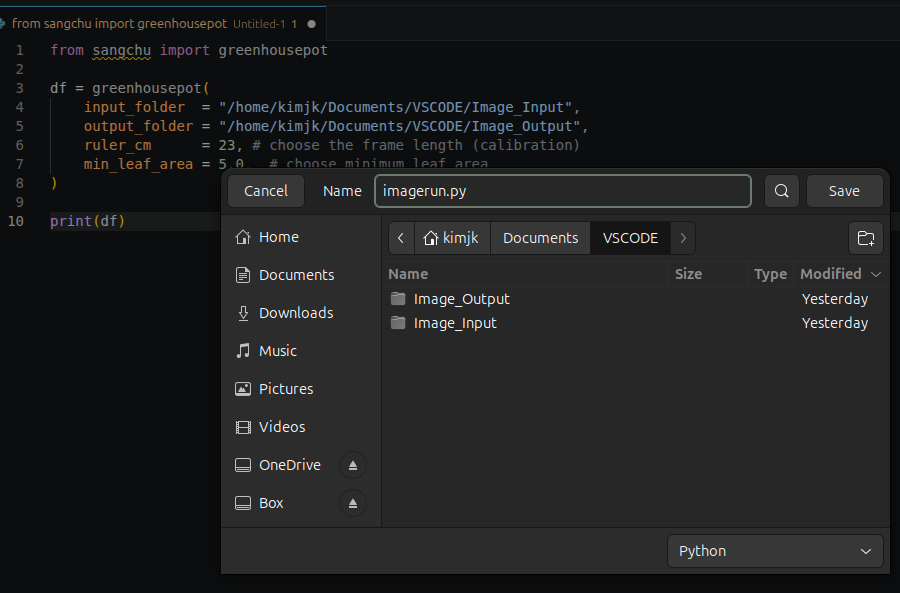
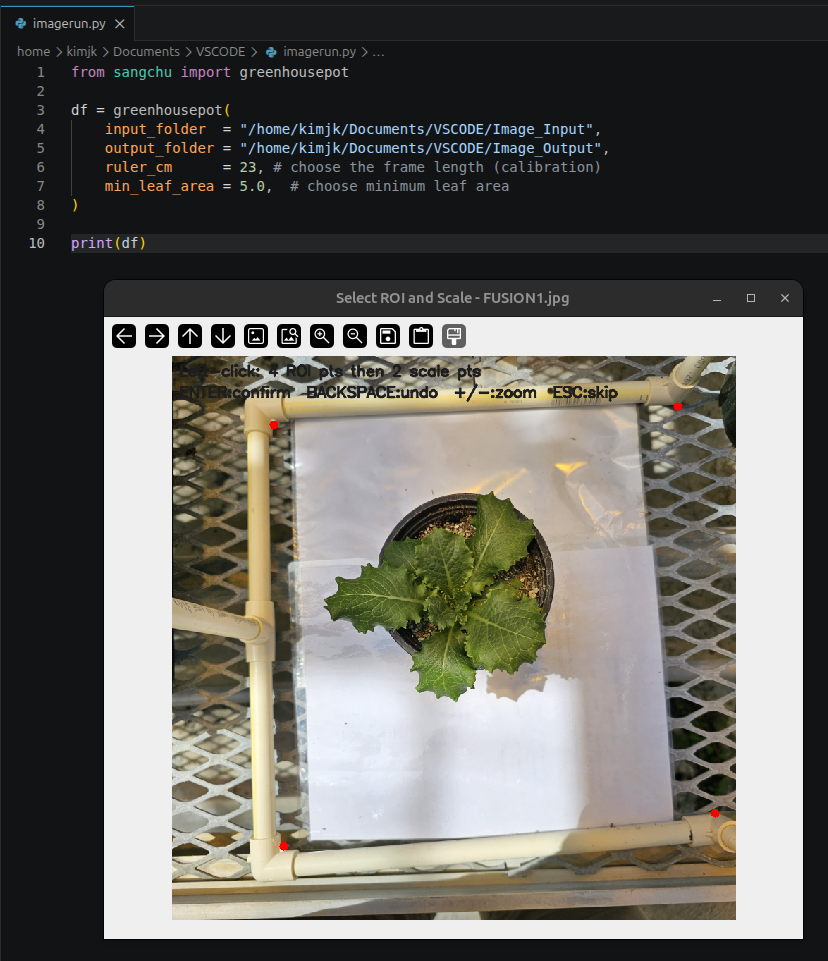
Saving the code in VS Code will trigger a new image window where you can select an area within the frame. Clicking on the image will place red dots; please ensure you click in a clockwise direction.
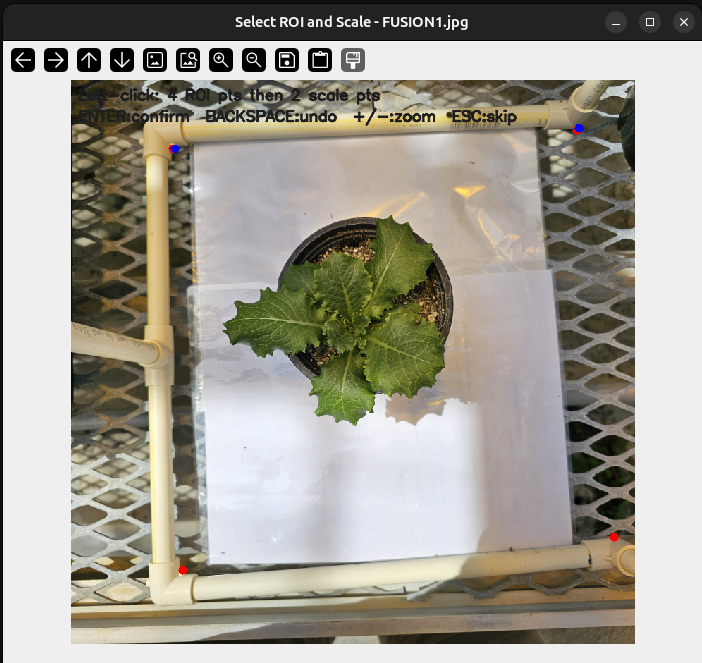
After that, you need to set the scale for the image. In the code, I have set ruler_cm = 23, which means you should select a 23 cm length within the image. As you click, blue dots will appear.
After clicking, then enter, and you will see the image detected.
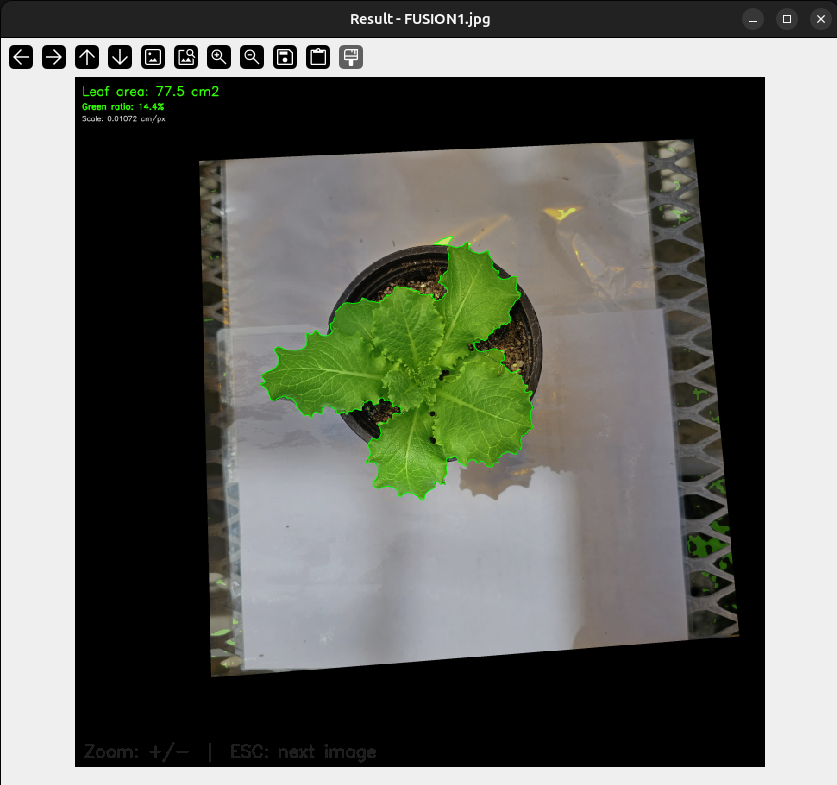
After clicking, press Enter to view the detected image. To move next image processing, press Esc.
