AI-based plant image analysis for morphological trait measurement phenoshot is an R package that measures plant morphological traits from photographs. It combines AI background removal (Photoroom API) with OpenCV-based object detection to report area, perimeter, length, and width in real-world units (cm), and writes an annotated image so every measured object can be visually verified. Supported input formats: JPG, PNG, WEBP, HEIC.
1) Installation
# Install the package
if(!require(remotes)) install.packages("remotes")
if (!requireNamespace("phenoshot", quietly= TRUE)) {
  remotes::install_github("agronomy4future/phenoshot", force= TRUE)
}
library(remotes)
library(phenoshot)
2) API key
Background removal uses the Photoroom Remove Background API. Among the services I tested that offer API access, Photoroom produced the cleanest cutouts, so it is the only provider supported. Get a key from the Photoroom dashboard and pass it as photoroom_api_key. Each processed image consumes API credits. Because phenoshot reuses any existing _nobg.png in the output folder, re-running an analysis with different detection or annotation settings costs nothing extra. You can purchase API credits on the Photoroom website.
I am not affiliated with Photoroom, and this is not a commercial post.
3) R code
[1] Original photographs (Photoroom API)
phenoshot(
  input_folder      = "./Input",
  output_folder     = "./Output",
  photoroom_api_key   = "*****",
  image_real_cm       = c(75, 75),
  alpha_threshold     = 128L,
  object_min_area_cm2 = 5,
  weed_filter         = "width",
  object_order       = "position"
)
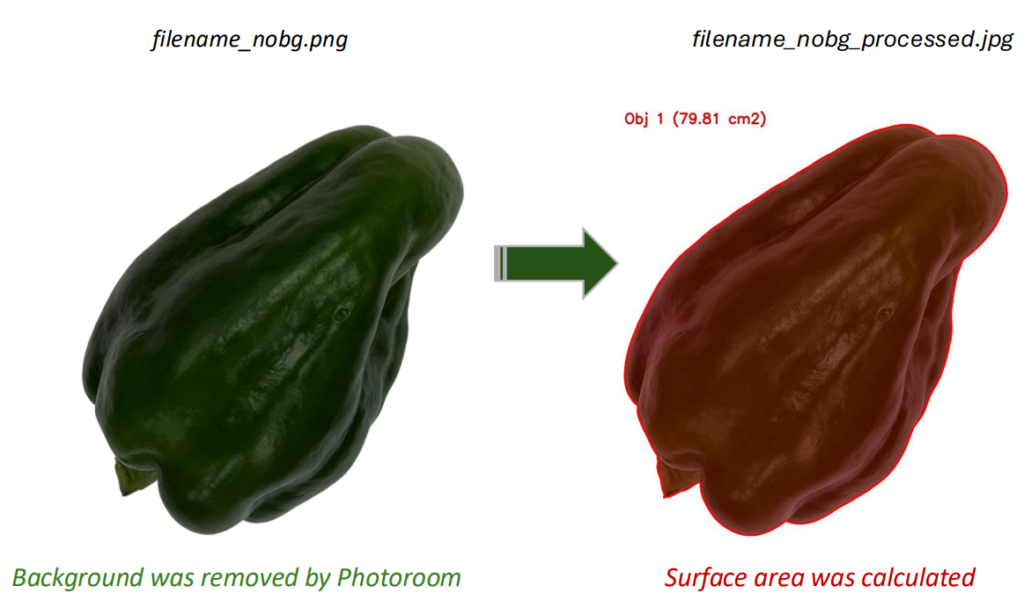
Using the photoroom_api_key, the background will be removed via Photoroom’s service, and the image will be saved as filename_nobg. Then, the surface area of the object will be calculated and saved as filename_nobg_processed.
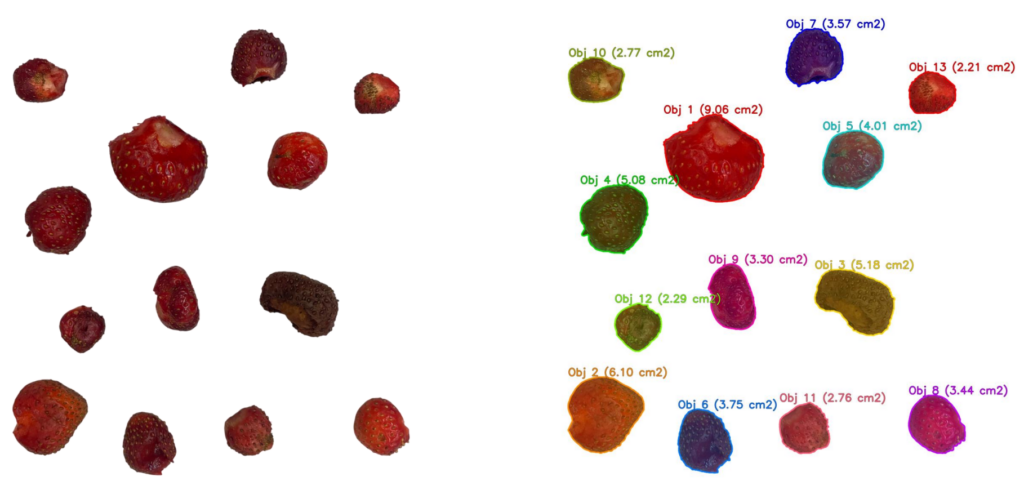

[2] Pre-processed images (no API key)
If the background is already removed from the image, no API credits will be consumed, so you can omit photoroom_api_key. The file name should end with _nobg (e.g., filename_nobg). By adding _nobg, PhenoShot will recognize that the background has been already removed.
phenoshot(
  input_folder      = "./Input",
  output_folder     = "./Output",
  image_real_cm       = c(75, 75),
  alpha_threshold     = 128L,
  object_min_area_cm2 = 5,
  weed_filter         = "width",
  object_order       = "position"
)
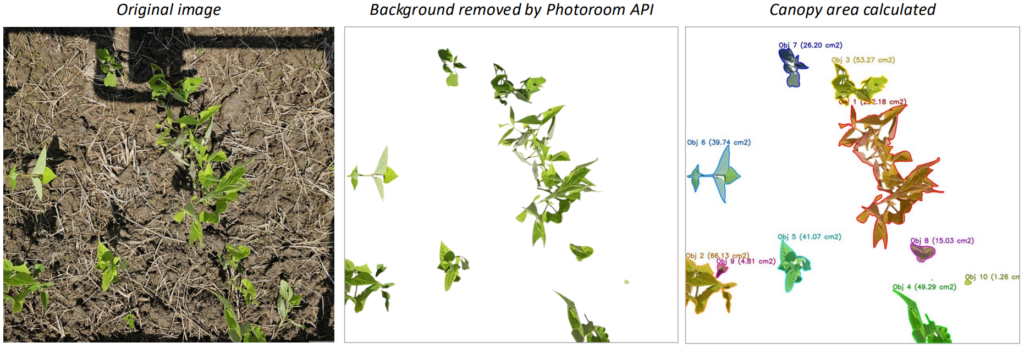
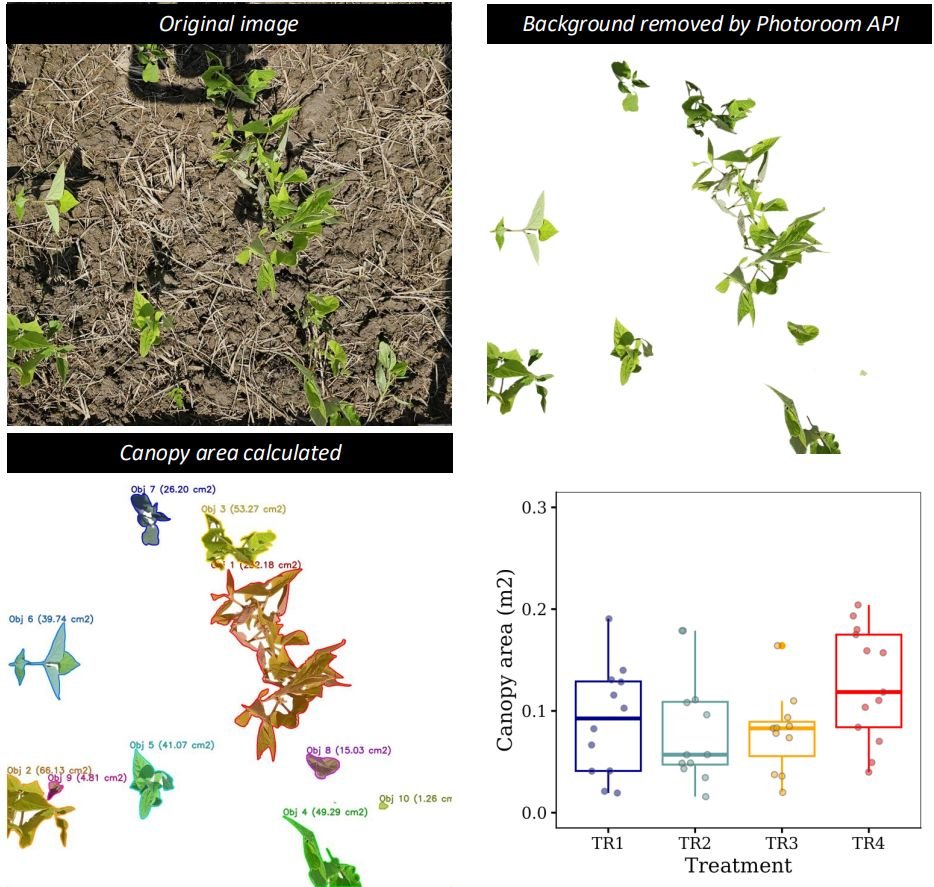
This code also works on images taken outdoors in the field. Of course, if the noise is severe, the background may not be 100% removed.
We aim to develop open-source code for agronomy ([email protected])
© 2022 – 2025 https://agronomy4future.com – All Rights Reserved.
Last Updated: 07/22/2026