Sometimes we need to convert our data to .json format, and I will introduce an easy way to do it using Python. I will use Google Colab.
First, let’s mount Google Drive to Google Colab.
from google.colab import drive
drive.mount('/content/drive')
Second, let’s upload a dataset from GitHub.
import pandas as pd
import requests
from io import StringIO

github="https://raw.githubusercontent.com/agronomy4future/raw_data_practice/refs/heads/main/biomass_N_P.csv"
response=requests.get(github)
df=pd.read_csv(StringIO(response.text))

df.head(5)

season	cultivar  treatment  rep  biomass  nitrogen  phosphorus
2022	cv1	  N0	     1	  9.16	   1.23	     0.41
2022	cv1	  N0	     2	  13.06	   1.49	     0.45
2022	cv1	  N0	     3	  8.40	   1.18	     0.31
2022	cv1	  N0	     4	  11.97	   1.42	     0.48
2022	cv1	  N1	     1	  24.90	   1.77	     0.49
.
.
.
I’ll convert this data to a .json file
df.to_json('df.json', orient='records')
and download it to my PC.
from google.colab import files

files.download('df.json')
or I can directly download it to Google Colab.
df.to_json('<mark style="background-color:rgba(0, 0, 0, 0)" class="has-inline-color has-vivid-cyan-blue-color">/content/drive/MyDrive/Colab/Python_code/</mark>df.json', orient='records')
<mark style="background-color:rgba(0, 0, 0, 0)" class="has-inline-color has-vivid-cyan-blue-color"># your pathway</mark>
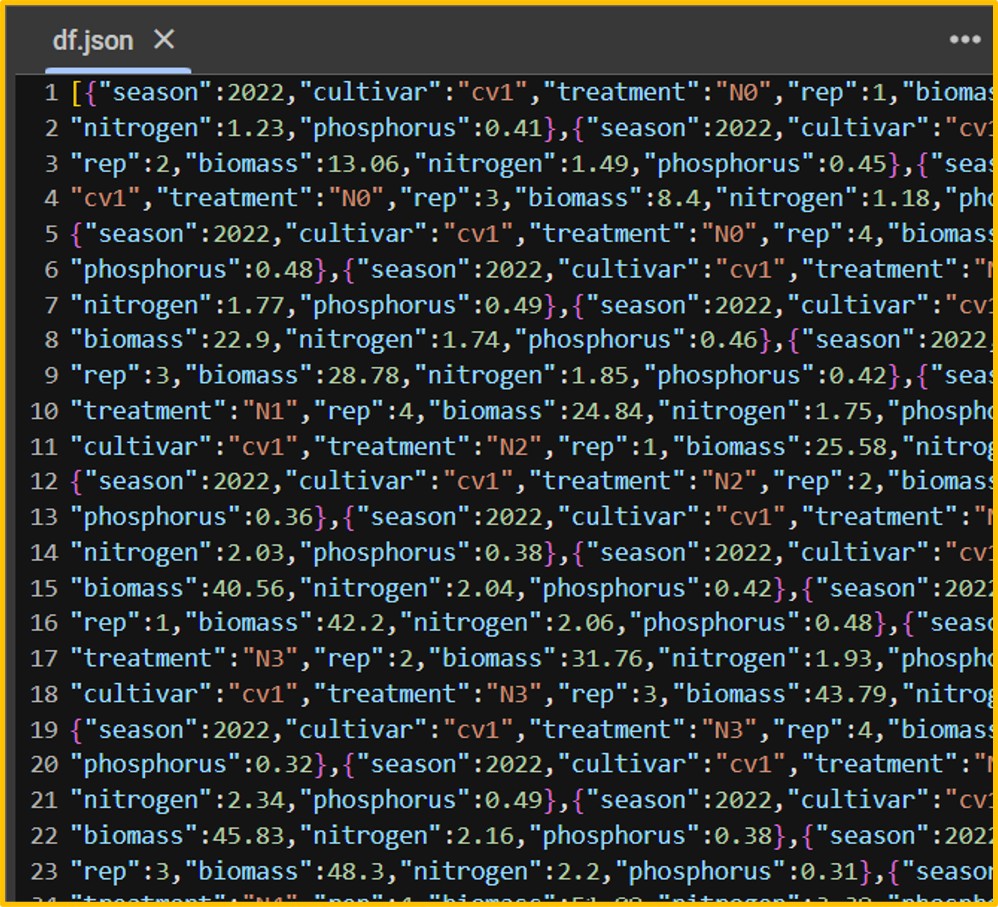
Now .json file is created.
Let’s upload this .json file to Google Colab.
When uploading from my PC,
from google.colab import files
uploaded = files.upload()

import pandas as pd
df = pd.read_json('df.json')

df.head(5)

df.json(application/json) - 6670 bytes, last modified: 2/27/2025 - 100% done
Saving df.json to df.json
season cultivar treatment  rep  biomass  nitrogen  phosphorus
2022   cv1      N0         1    9.16      1.23     0.41
2022   cv1      N0         2    13.06     1.49     0.45
2022   cv1      N0         3    8.40      1.18     0.31
2022   cv1      N0         4    11.97     1.42     0.48
2022   cv1      N1         1    24.90     1.77     0.49
.
.
.
and when uploading from Google Colab,
from google.colab import drive
import pandas as pd

file_path = '<mark style="background-color:rgba(0, 0, 0, 0)" class="has-inline-color has-vivid-cyan-blue-color">/content/drive/MyDrive/Colab/Python_code/</mark>df.json'
df = pd.read_json(file_path)
<mark style="background-color:rgba(0, 0, 0, 0)" class="has-inline-color has-vivid-cyan-blue-color"># your pathway </mark>

df.head(5)

season	cultivar  treatment  rep  biomass  nitrogen  phosphorus
2022	cv1	  N0	     1	  9.16	   1.23	     0.41
2022	cv1	  N0	     2	  13.06	   1.49	     0.45
2022	cv1	  N0	     3	  8.40	   1.18	     0.31
2022	cv1	  N0	     4	  11.97	   1.42	     0.48
2022	cv1	  N1	     1	  24.90	   1.77	     0.49
.
.
.
Full code: https://github.com/agronomy4future/python_code/blob/main/How_to_convert_to_json_file_using_Python.ipynb

We aim to develop open-source code for agronomy ([email protected])
© 2022 – 2025 https://agronomy4future.com – All Rights Reserved.
Last Updated: 02/27/2025