□ Exploring Data Management in ACCESS: Uploading Data to the Database
In the previous post, I introduced how to upload Excel files to ACCESS. Now, let’s explore how to upload multiple Excel files to ACCESS and merge them into one dataset.
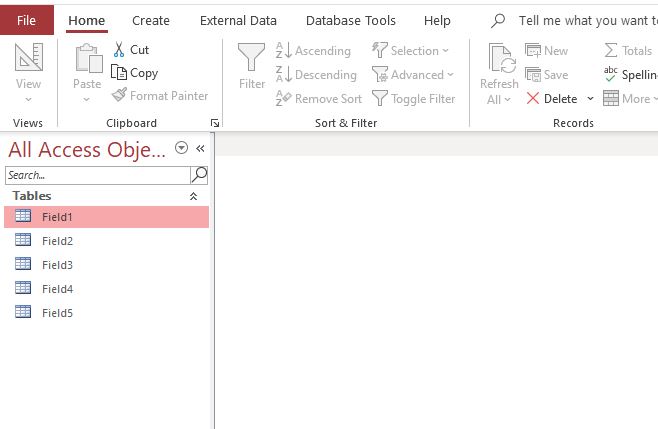
Let’s say you have uploaded 5 Excel files to ACCESS, as shown in the image below. We will demonstrate how to merge these 5 uploaded data tables into a single data table.
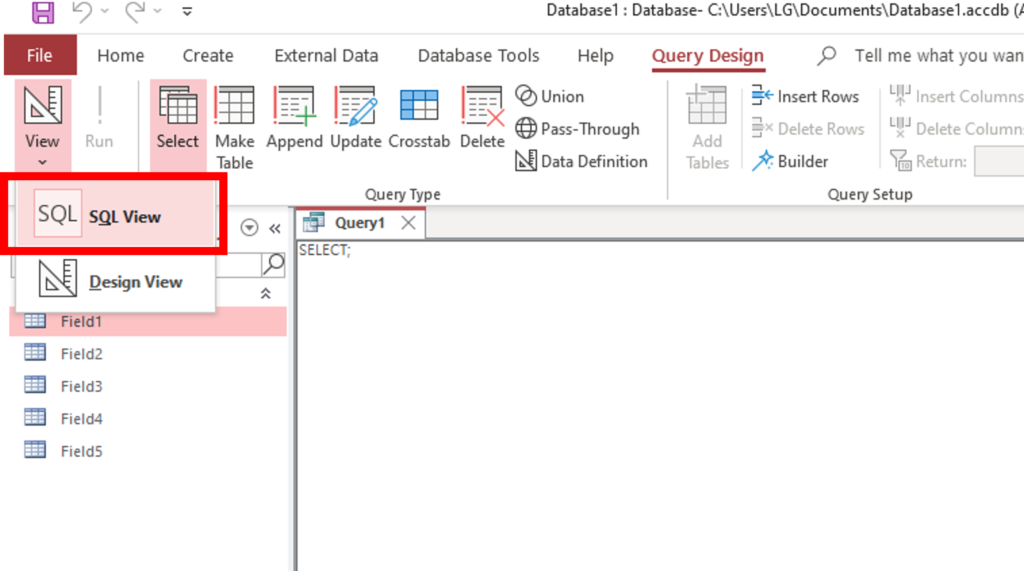
In Query Design, you can click on ‘SQL View’ to directly write SQL code. You can also press the shortcut Alt + C + QD to open SQL View and write SQL code.
Let’s input the following code into the SQL window.
SELECT * FROM Field1
UNION ALL
SELECT * FROM Field2
UNION ALL
SELECT * FROM Field3
UNION ALL
SELECT * FROM Field4
UNION ALL
SELECT * FROM Field5
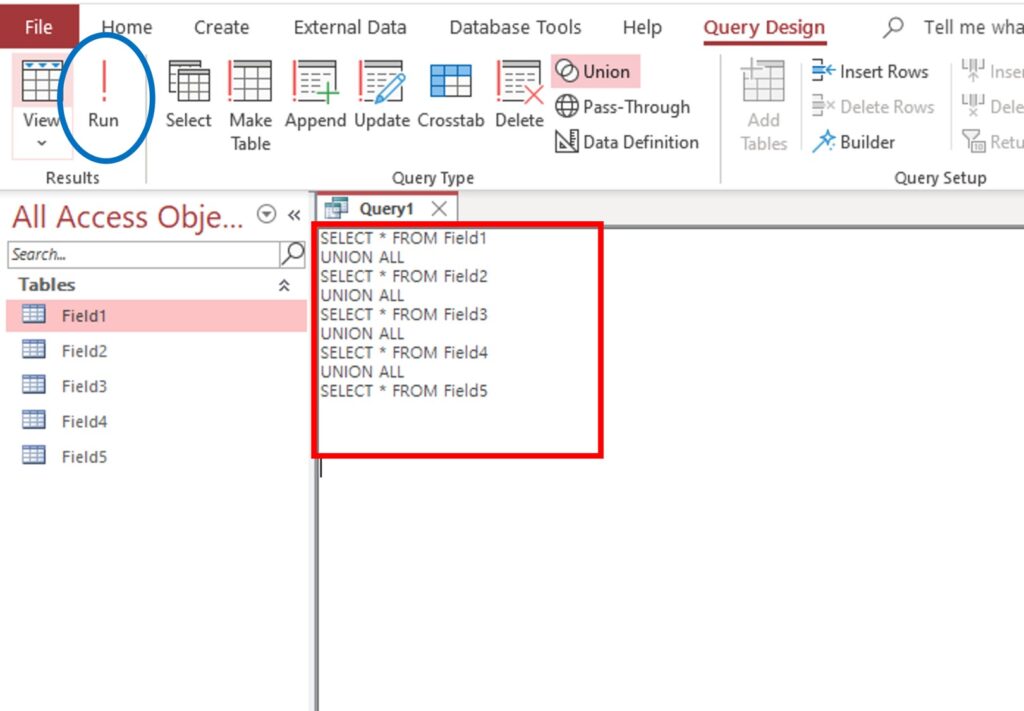
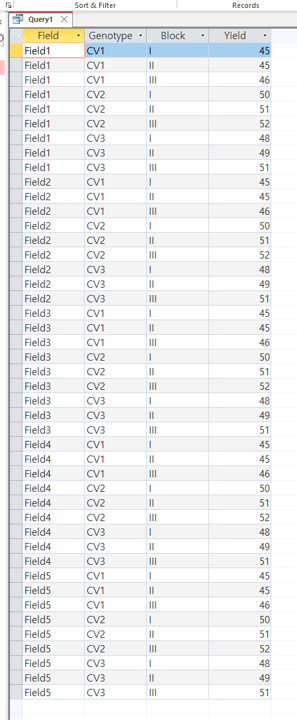
And then, click Run. This will merge the 5 data tables into one single data table.

We aim to develop open-source code for agronomy ([email protected])
© 2022 – 2025 https://agronomy4future.com – All Rights Reserved.
Last Updated: 28/02/2025